|
|
|
|
|
|

詳解JS刪除數組元素的三個方法:splice(),pop(),shift()
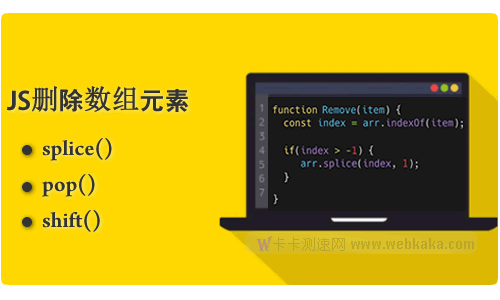
作者:admin 時間:2022-5-23 20:7:18 瀏覽:在JavaScript中,當我們要刪除數組的元素時,我們可以通過多種方法來實現。JavaScript內置了三個方法,讓我們很輕松地刪除數組的元素:splice()、pop()、shift()。但這三個方法無論從語法還是功能方面,都非常不同,在本文中,我將詳細介紹這三種方法的用法及注意事項。
使用splice()方法刪除數組元素
要使用splice()刪除數組中的元素,需將兩個參數傳遞給splice()方法,如下所示:
Array.splice(position,num);
position是指定要刪除項目的第一個位置,num參數確定要刪除的元素數。
splice()方法更改原始數組并返回一個包含已刪除元素的數組。
讓我們看一下下面的例子。
假設你有一個數組scores,其中包含從 1 到 5 的五個數字。
let scores = [1, 2, 3, 4, 5];
以下語句scores從第一個元素開始刪除數組的三個元素。
let deletedScores = scores.splice(0, 3);
scores數組現在包含兩個元素。
console.log(scores); // [4, 5]
而deletedScores數組包含三個元素。
console.log(deletedScores); // [1, 2, 3]
查找元素并用splice方法將其刪除
在實際使用中,我們更多是要先找出要刪除的元素,然后將其刪除。
實例
var arrNames = ['小明','小張','小李'];
function nameRemove(name){
    const nIndex = arrNames.indexOf(name);
    if(nIndex > -1){
        arrNames.splice(nIndex,1);
    }
}
nameRemove("小張")
console.log(arrNames);
輸出
['小明', '小李']
該實例中,先查找元素(item)的索引位置,即是splice()的position值,然后再套用splice()語法將其刪除。
使用pop()方法刪除數組元素
JavaScript的pop()方法也可以刪除數組元素,但與splice()不同,pop()只能刪除數組的最后一個元素。
以下示例使用pop()方法刪除numbers數組的最后一個元素:
const numbers = [10, 20, 30];
const last = numbers.pop();

console.log(last); // 30
console.log(numbers.length); // 2
輸出:
30
2
在此示例中,pop()方法從數組numbers中刪除數字30。此外,它會將數組的屬性length值減小到2。
對空數組使用pop()方法
下面的示例中,在一個空數組上調用pop()方法。在這種情況下,pop()方法返回undefined,并且數組的長度length值為零:
const numbers = [];
const last = numbers.pop();

console.log(last);
console.log(numbers.length);
輸出:
undefined
0
對類數組對象使用pop()方法
pop()方法是通用的。因此,可以使用call()或apply()來調用類數組對象上的pop()方法。在內部,pop()使用類數組對象的length屬性來確定要刪除的最后一個元素。
請參見以下示例:
let greetings = {
  0: 'Hi',
  1: 'Hello',
  2: 'Howdy',
  length: 2,
  removeLast() {
    return [].pop.call(this);
  },
};

let greting = greetings.removeLast();

console.log(greting);
console.log(greetings);
輸出:
'Howdy'
{
'0': 'Hi',
'1': 'Hello',
length: 2,
removeLast: [Function: removeLast]
}
代碼解釋
首先,定義greetings具有以下內容的對象:
- 四個屬性: 0、1、2 和length。
- 一個
removeLast()函數:使用數組的call()方法來調用pop()方法。
二、調用greetings對象的removeLast()方法
let greting = greetings.removeLast();
第三,將移除的元素(greeting)和greetings對象輸出到控制臺
console.log(greting);
console.log(greetings);
概括
- 使用
pop()方法刪除數組的最后一個元素。 - 使用
call()或apply()調用類數組對象的pop()方法。
使用shift()方法刪除數組元素
除了splice()和pop(),我們還可以用shift()方法刪除數組元素。但與pop()剛好相反,shift()方法是刪除數組的第一個元素。
語法
array.shift()
示例1
const numbers = [10, 20, 30];
let number = numbers.shift();

console.log({ number });
console.log({ numbers });
console.log({ length: numbers.length });
輸出:
{ number: 10 }
{ numbers: [ 20, 30 ] }
{ length: 2 }
代碼解釋
首先,定義包含三個元素的numbers數組:
const numbers = [10, 20, 30];
其次,從numbers數組中刪除第一個元素并將刪除的元素分配給number變量。
let number = numbers.shift();
第三,將移除的元素、數組和數組的長度輸出到控制臺:
console.log({ number });
console.log({ numbers });
console.log({ length: numbers.length });
示例2
下面的例子展示了如何使用shift()方法刪除數組的所有元素:
const numbers = [10, 20, 30];
let number;
while ((number = numbers.shift()) != undefined) {
  console.log(number);
}
輸出:
10
20
30
示例3
shift()方法是通用的。因此,可以將它與類似數組的對象一起使用。要將shift()方法與類似數組的對象一起使用,請使用call()或apply()方法。
下面示例展示了如何使用shift()方法刪除類數組對象的元素:
let greetings = {
  0: 'Hi',
  1: 'Hello',
  2: 'Howdy',
  length: 3,
  removeFirst() {
    return [].shift.call(this);
  },
};

const greeting = greetings.removeFirst();

console.log(greeting);
console.log(greetings);
輸出:
Hi
{
'0': 'Hello',
'1': 'Howdy',
length: 2,
removeFirst: [Function: removeFirst]
}
代碼解釋
首先,定義greetings對象:
let greetings = {
  0: 'Hi',
  1: 'Hello',
  2: 'Howdy',
  length: 3,
  removeFirst() {
    return [].shift.call(this);
  },
};greetings對象具有由屬性0、1和2表示的三個元素。此外,它還具有存儲對象元素數量的length屬性。
removeFirst()方法使用call()方法來調用數組的shift()方法,該數組使用this引用greetings對象。
其次,調用removeFirst()方法并將移除的元素分配給greeting變量:
const greeting = greetings.removeFirst();
第三,將greeting和greetings輸出到控制臺:
console.log(greeting);
console.log(greetings);
輸出顯示length減少了 1,帶有索引 0 的屬性被移除,其他屬性的索引也相應調整。
概括
- 使用該
shift()方法從數組中刪除第一個元素并返回該元素。 - 通過
call()或apply()方法將shift()方法與類似數組的對象一起使用。
總結
本文詳細介紹了JS刪除數組元素的三個方法:splice()、pop()和shift(),這三種方法使用起來非常方便,但它們有不同的作用和用法。
您可能對以下文章也感興趣